Space Wars Shooter 39.5.1
Publisher Description


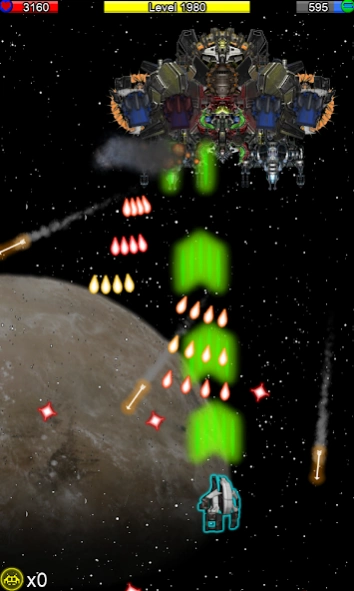
Epic galactic battles with aliens and starships in a retro space shooter
Get ready for the ultimate galactic battle in Space Wars Shooter 3, the retro-inspired arcade spaceship shooter packed with action, aliens, and explosions! Pilot your interstellar starship through endless waves of alien invaders, dodge plasma fire, and unleash devastating attacks to protect the galaxy.
🚀 Main Features:
- Classic space shooter gameplay with modern upgrades.
- Face waves of alien enemies and defeat epic final bosses.
- Upgrade your spaceship with plasma rockets, missiles, and galactic weapons.
- Campaign mode for solo players, inspired by the classics of the 90s.
- Unlimited ammo — pure action without limits!
- Free-to-play: no paywalls, no restrictions.
🪐 Travel across asteroid fields, space stations, and alien planets while improving your starship and unlocking new powers. Each mission becomes more challenging with stronger enemies and massive boss fights every five levels.
If you love retro arcade shooters, alien battles, and galactic wars, Space Wars Shooter 3 will keep you hooked for hours. Download now and become the galaxy’s ultimate defender!
About Space Wars Shooter 3
The company that develops Space Wars Shooter 3 is SpaceShip Games. The latest version released by its developer is 9.5.1.
To install Space Wars Shooter 3 on your Android device, just click the green Continue To App button above to start the installation process. The app is listed on our website since 2025-09-30 and was downloaded 3 times. We have already checked if the download link is safe, however for your own protection we recommend that you scan the downloaded app with your antivirus. Your antivirus may detect the Space Wars Shooter 3 as malware as malware if the download link to com.arieshgs.SpaceWarFree3 is broken.
How to install Space Wars Shooter 3 on your Android device:
- Click on the Continue To App button on our website. This will redirect you to Google Play.
- Once the Space Wars Shooter 3 is shown in the Google Play listing of your Android device, you can start its download and installation. Tap on the Install button located below the search bar and to the right of the app icon.
- A pop-up window with the permissions required by Space Wars Shooter 3 will be shown. Click on Accept to continue the process.
- Space Wars Shooter 3 will be downloaded onto your device, displaying a progress. Once the download completes, the installation will start and you'll get a notification after the installation is finished.
Program Details
System requirements
Download information
Pricing
Version History
version 9.5.1
posted on 2025-09-30
version 9.2.0
posted on 2022-03-25
-fix errors
version 6.8.0
posted on 2017-12-11
Last Wars
Add levels
Add final bosses
Add new graphics
Fixed errors
